- DATE:
- AUTHOR:
- The Transmit Security team
Expand, Migrate and Integrate: What’s New in Mosaic This June
This release focuses on expanding connectivity across the identity ecosystem while making Mosaic easier to deploy, manage and troubleshoot. Highlights include new verification, federation and migration capabilities, a new Integration Validator for Fraud Prevention, enhanced journey debugging tools and additional controls for branding, administration and risk evaluation.
Highlights
 Expand Identity Verification, Federation and Migration Options Across Mosaic
Mosaic continues to expand its identity ecosystem with new verification, federation and migration capabilities. Organizations can now leverage Data Zoo for backend document verification, enabling identity data to be validated against authoritative external sources without requiring user interaction. Initial support includes New Zealand driver licence verification, with a framework designed to support additional countries and document types in the future.
The Integration Hub also introduces new productized integrations for identity provider authentication and user migration scenarios, including Okta, Auth0, Microsoft Azure AD B2C / Entra External ID, AWS Cognito, OneLogin, Keycloak and Ping Identity. Additionally, new journey steps simplify user migration from those platforms as well as Google, Meta and Apple, helping organizations accelerate migration projects and connect existing identity ecosystems directly into Mosaic.
Finally, a new B2B Federated Authentication journey step enables federated authentication through OIDC, allowing organizations to connect external identity providers directly into B2B user journeys while supporting custom identity logic between authentication and session establishment.
* General availability
 Validate Fraud Prevention Integrations with the New Integration Validator
A new Integration Validator is available in the Admin Portal to help teams validate the health of their Fraud Prevention integrations and quickly identify configuration gaps. By analyzing SDK connectivity, event reporting, required fields and other integration requirements, the tool helps ensure deployments are properly configured for specific use cases such as account takeover prevention, new account fraud and transaction monitoring.
The Integration Validator also provides guidance on recommended improvements and links to relevant documentation, making it easier to troubleshoot issues, optimize integrations and reduce reliance on support teams.
* General availability
Spark Updates
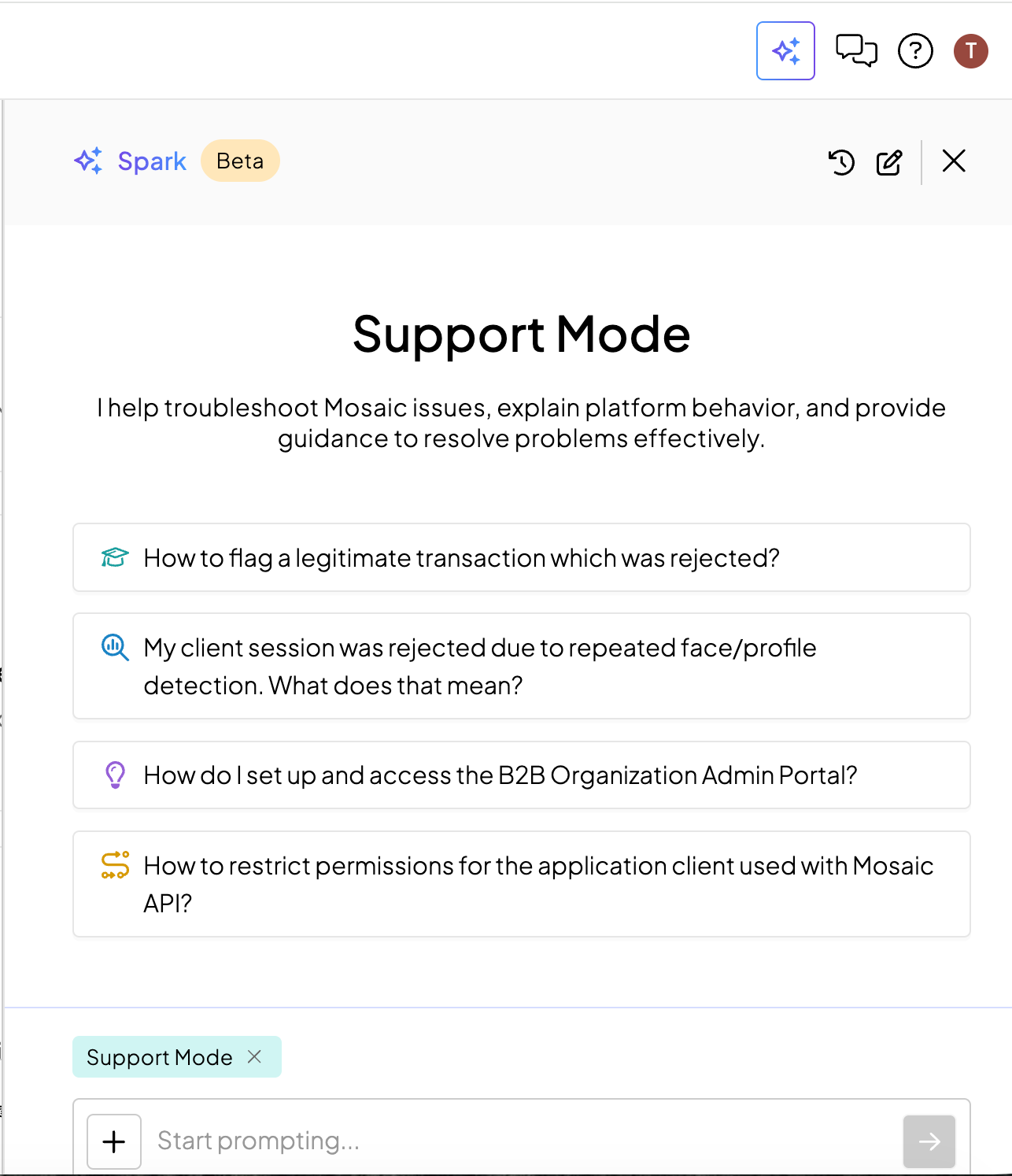
 Troubleshoot Mosaic Issues with Spark Support Mode
A new Support mode in Spark allows teams to investigate Mosaic issues, understand platform behavior and receive guidance on resolving common problems. Drawing on Mosaic documentation, historical support cases and recurring issue patterns, Support mode can accelerate troubleshooting and help determine when a support ticket should be opened for further assistance.
* Available in sandbox
 Expand Spark Access Across Admin Roles
Spark is now available to all Mosaic admin roles, extending access beyond global administrators. Access to Spark capabilities is governed by existing role-based access controls (RBAC), ensuring each admin can only perform actions and access information permitted by their assigned role.
* Available in sandbox
Fraud Prevention
 Evaluate Risk Directly from Backend Applications
A new Entity Risk Evaluation API allows organizations to evaluate entities against Mosaic rules directly from backend applications, extending risk-based decisioning beyond user journeys. Teams can submit entities such as IP addresses for evaluation and receive real-time recommendations—including ALLOW, TRUST, CHALLENGE or DENY—along with details on the rules that influenced the decision.
* Available in sandbox
 Expand Transaction Monitoring with New Fraud Detection Reasons
Transaction Monitoring now includes three additional out-of-the-box fraud detection Reasons: HIGH_VELOCITY_TRANSACTION, NEW_DEVICE_USER_PAYEE_TRANSACTION and TRANSACTION_RISKY_BEHAVIOR. Available without additional configuration, these built-in signals provide additional visibility into suspicious payment activity and can be incorporated directly into risk policies and decisioning workflows.
* General availability
Orchestration
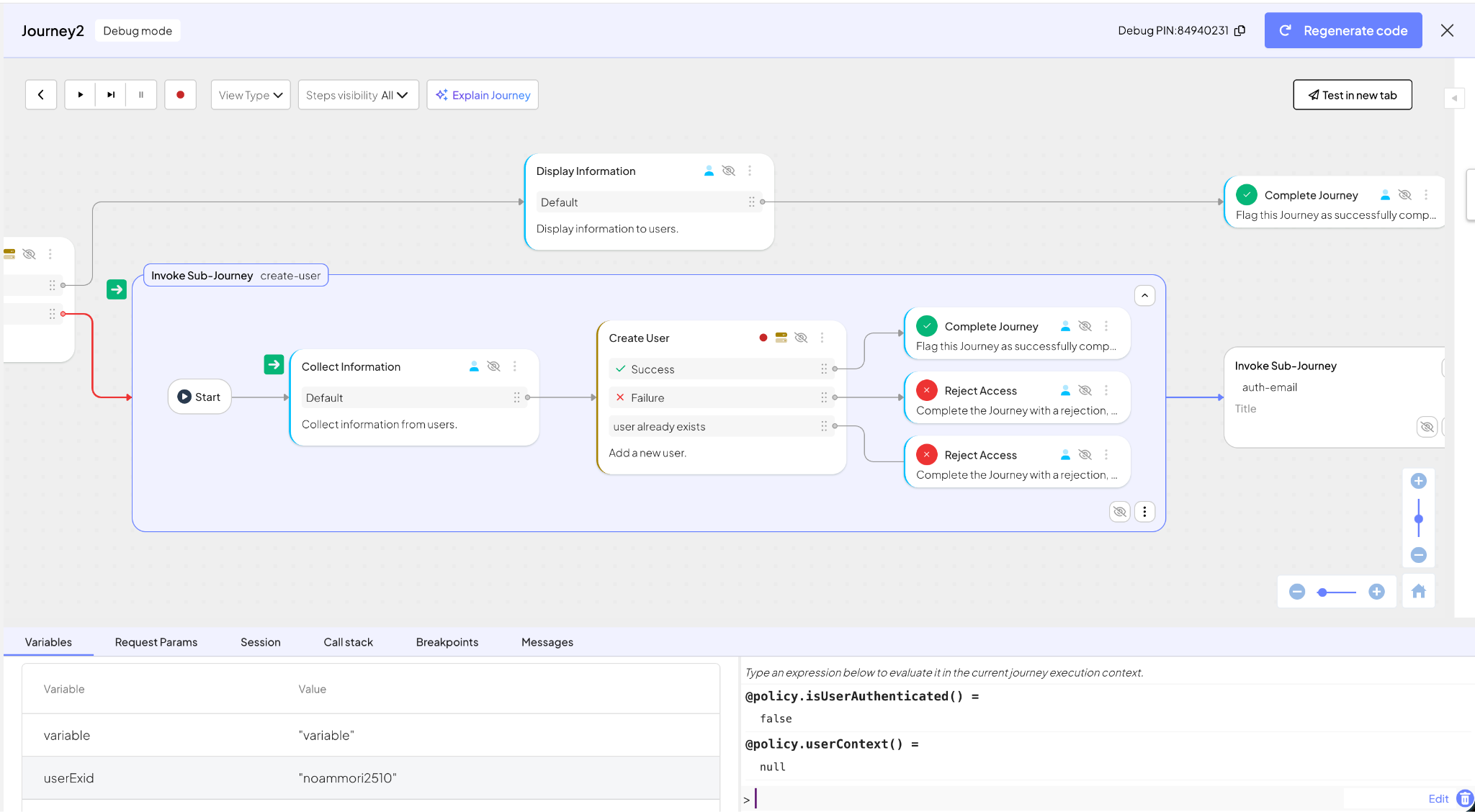
 Debug Journeys More Easily with Enhanced Debugging Tools
Journey debugging has been enhanced with a more unified and intuitive experience. Teams can now manage breakpoints directly from the journey canvas, view sub-journeys inline and use a dedicated debug mode that separates debugging from editing workflows. These improvements provide better visibility into journey execution, simplify troubleshooting and make it easier to investigate complex flows across parent and child journeys.
* Available in sandbox
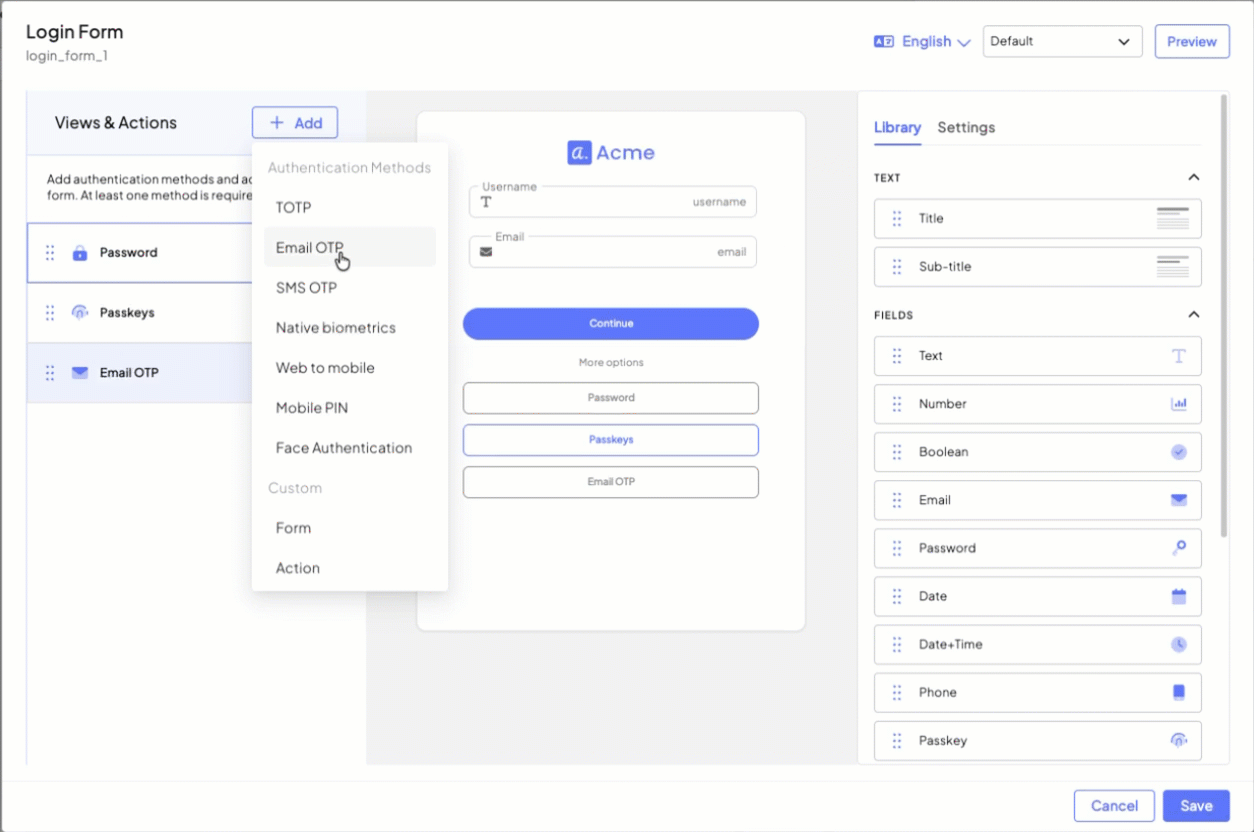
 Design Forms More Easily with the Visual Form Builder
A new Visual Form Builder streamlines configuration of the Login Form and Collect Information journey steps by bringing form design into a single editing experience. Teams can configure input fields, text elements, buttons, layouts and styling while previewing changes in real time, making it easier to build, customize and maintain user-facing forms.
* General availability
Identity Verification
 Expose Identity Verification Risk Signals Through APIs
The Get Verification Result API now returns a dedicated risk_details section, providing access to the same device and network risk signals available in the Identity Verification portal. This includes risk scores, recommendations, device integrity indicators, network intelligence and contributing risk factors, helping organizations make more informed decisions and incorporate verification risk data directly into their own systems and workflows.
* General availability
Cross-Platform Enhancements
 Advanced Branding Controls for Hosted Experiences
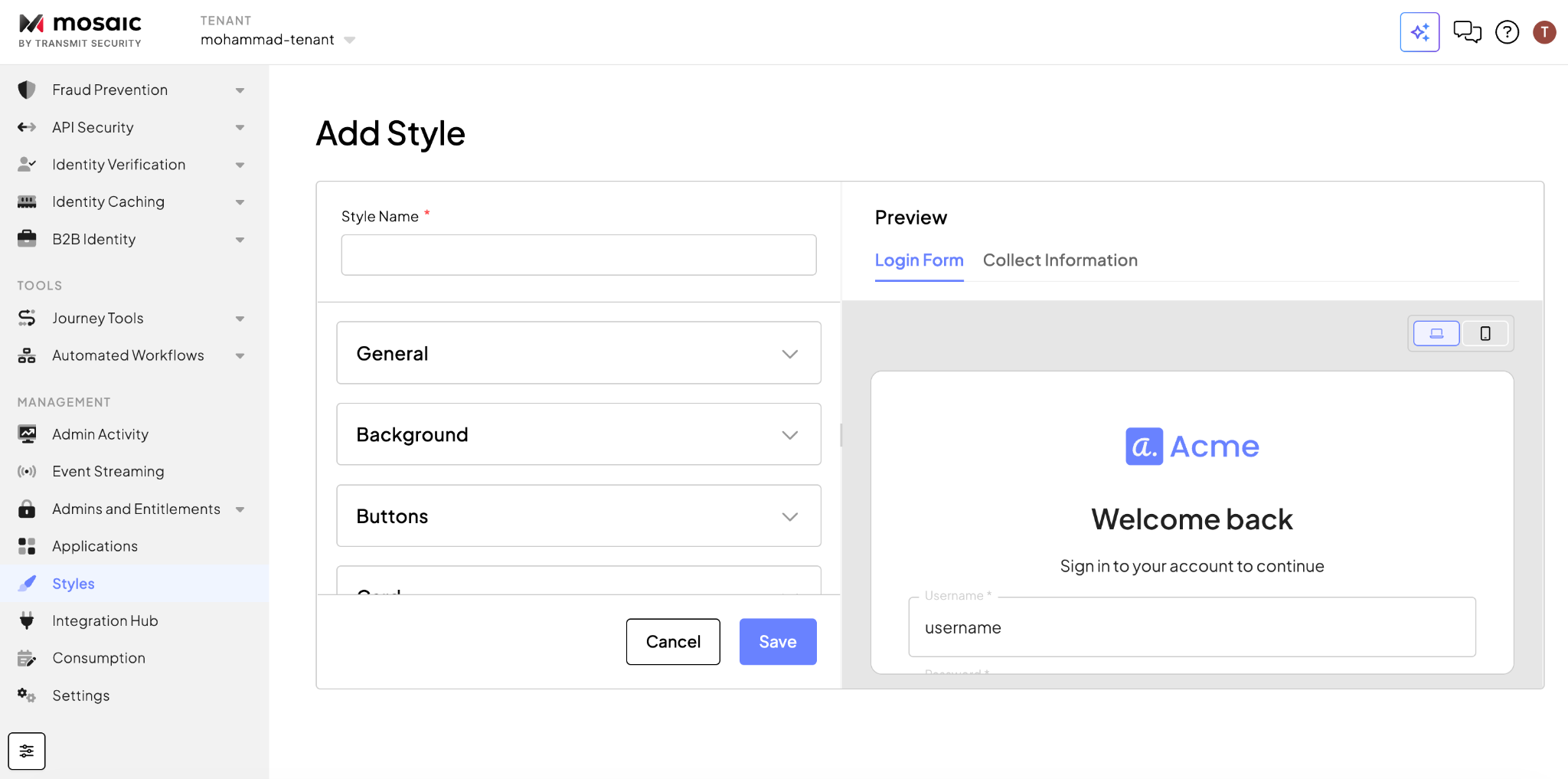
A new Styles section in the Admin Portal expands branding customization for Hosted Experiences, giving organizations greater control over elements such as logos, typography, page layouts, buttons, cards and input fields. Styles can be created, previewed, linked to clients and reverted to defaults, helping teams deliver a more consistent and branded experience across hosted web and webview screens.
* Available in sandbox
 Improve Visibility into Recovery Admin Access
Recovery Admins are now clearly identified within the Admins and Entitlements Admin Users table, providing a centralized view of administrative access without requiring navigation across multiple configuration areas. In addition, the Admin Activity page now supports filtering for Recovery Admin events, making it easier to monitor, audit and investigate recovery access activity.
* General availability